

Cloudevo The Evolution of Cloud
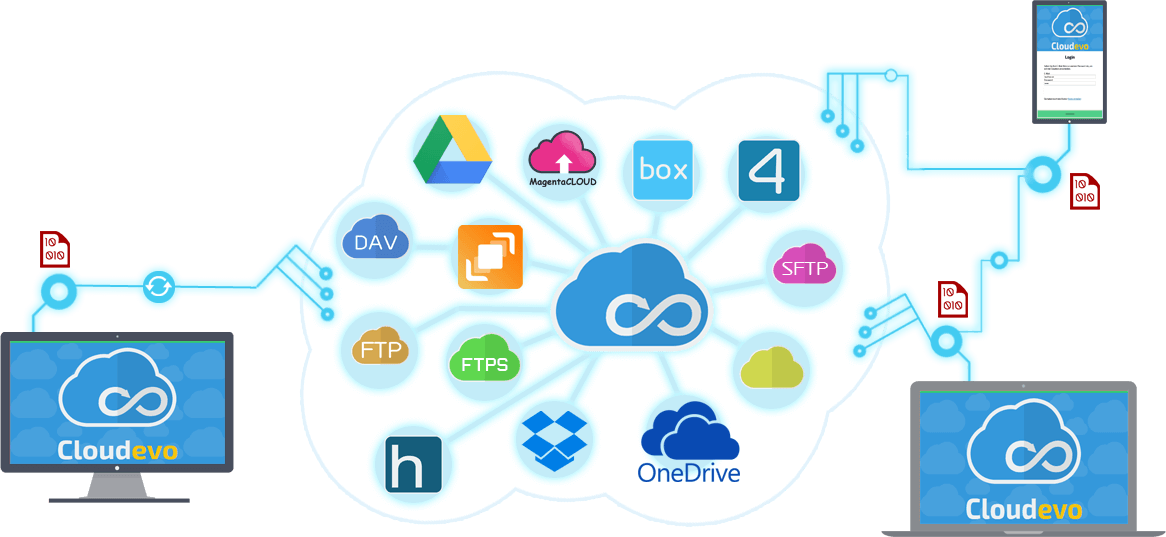
Connect all your Cloud services together.
Safe through encryption. Fast through parallel processing.
Cloudevo Technical Preview
Cloudevo software is gradually being further developed. The developer team gives all users and volunteer testers an insight into the current development. Through the Technical Preview program, you can try out the latest features and Cloudevo applications on other platforms. Follow the instructions below and install the beta and preview versions on your devices.
Currently testing
In the current Technical Preview version the new versions of Cloudevo are to be tested for mobile devices. This is the first public Technical Preview of the Windows Mobile and iOS version. The apps are not yet registered in the respective stores and therefore have to be downloaded and installed manually.
Create Cloudevo account Registration
To use the Cloudevo software, you need a Cloudevo account. With a Cloudevo account, you can log in to any platform using the Cloudevo software.
You can only create a Cloudevo account using Cloudevo for Windows. To do this, install Cloudevo for Windows on a Windows PC and create a Cloudevo account, at the first use.
Setup
The Android version of Cloudevo requires the Windows version Cloudevo 3 to set up the cloud storage accounts. These can be downloaded from the right box on this page.
Important : To use Cloudevo on your smartphone, you must create a Cloudevo v3 account. To do this, first install Cloudevo for Windows version 3 and create an account with a username. Then you can then access this account through your smartphone.
Important : The software from Technical Preview 1 is not compatible with Technical Preview 2.. You need to install the current software and create a new account.
--> --> -->Setting up Cloudevo for iPhone and iPad
Download Cloudevo for iOS.
Drag the installation file to iTunes : cloudevo-103.ipa
Connect an iPhone or iPad device via USB.
In iTunes, select Apps.
Drag the Cloudevo icon over the iPhone or iPad in the list on the left, on which the software is to be installed.
Frequently Asked Questions
Click on the questions to see the answers.
Questions and support
Do have any further questions about this software? Then please use the following form.
The e-mail address is optional. If you wish an answer to your inquiry, the e-mail address is required.
Schedule
All the important developments, new features, changes and fixes in this version . Furthermore, we tell you what we are working on at the moment and what you can look forward in the future.!
August
2018
Technical Preview: Mac OS Version
Technical Preview: Linux Version
September 2018
Release: Mac OS Version
Release: Linux Version